SQUADRA Season 2.4 Drops Begin!
We're giving out Twitch Drops in Season 2.4!
Don't miss this chance to get Items!
Watch livestreams of DRAGON BALL GEKISHIN SQUADRA on Twitch.tv during the campaign period to get in-game items.
Link your accounts as follows to participate:
・DRAGON BALL GEKISHIN SQUADRA In-Game Account ⇔ Bandai Namco ID
・Twitch Account ⇔ Bandai Namco ID
After linking your accounts, tune in to a DRAGON BALL GEKISHIN SQUADRA livestream with Drops enabled to earn rewards.
*Please be aware that if you watch the streams or try to claim your rewards before linking your Bandai Namco ID, you may be unable to claim your items.
Make sure to watch the streams after linking your accounts.
Once you meet the criteria to get the Drops, a "Claim Now" button will appear in your Twitch.tv notifications, so be sure to claim them quickly.
You can then receive your rewards by launching DRAGON BALL GEKISHIN SQUADRA and accessing the News section.
■Campaign Period
12/24/2025 10:00 PM – 1/11/2026 9:59 PM (PT)
12/25/2025 6:00 AM – 1/12/2026 5:59 AM (UTC)
*The specific times for participating in the campaign will depend on when Twitch streamers with Drops enabled are streaming.
If there are no active streamers during the campaign period, participation will not be possible.
■Reward Details
① Watch for 30 minutes or more: G-Capsule x5
② 1 hour or more: Zeni ×2,000
③ 2 hours or more: P2-Capsule ×5
④ 3 hours or more: Zeni ×3,000
■How to Participate
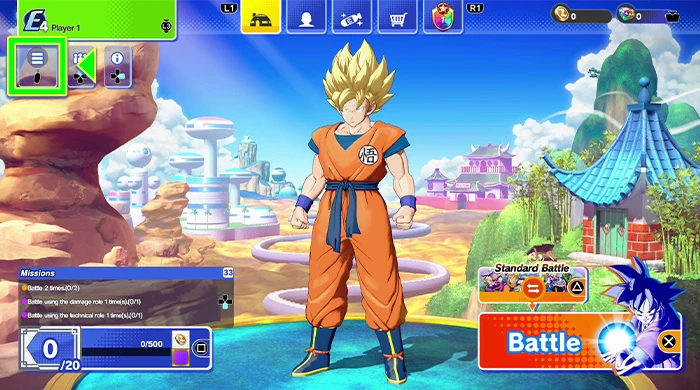
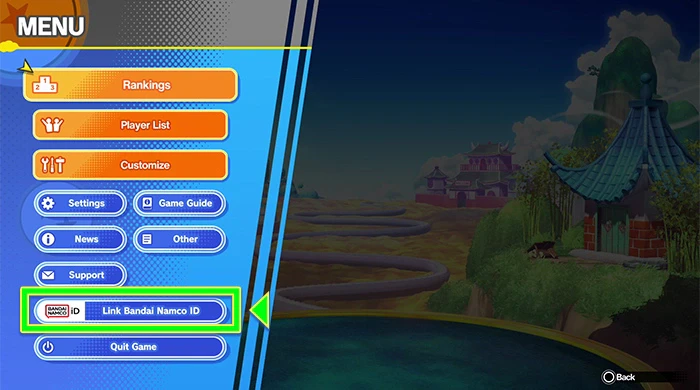
① After launching DRAGON BALL GEKISHIN SQUADRA, select ""Link to Bandai Namco ID"" from the Home Screen Menu.
After accessing the page for linking your Bandai Namco ID, create an ID if you don't already have one and follow the instructions on-screen.
▼
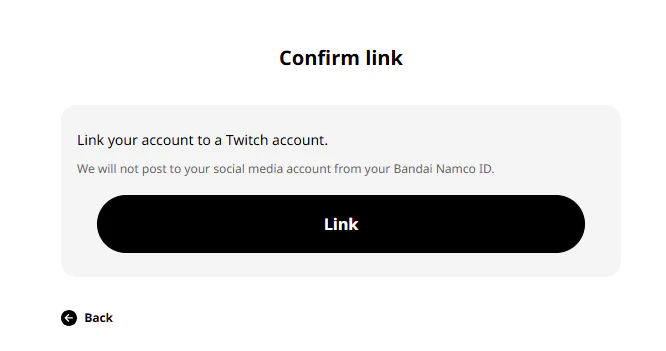
②After linking your Bandai Namco ID to DRAGON BALL GEKISHIN SQUADRA, link your account to Twitch through the URL below.
Link Twitch Account Here
*If you link a Bandai Namco ID that has also not been linked to DRAGON BALL GEKISHIN SQUADRA, you will be unable to claim your rewards.
③Watch DRAGON BALL GEKISHIN SQUADRA streams on Twitch.tv and receive rewards.
*Please be aware that if you watch the streams or try to claim your items before linking your Bandai Namco ID, you may be unable to claim your items.
Make sure to watch the streams after linking your account.
*To check the state of your Drops on Twitch.tv and for details on how to claim them, please see here.
④ After launching DRAGON BALL GEKISHIN SQUADRA, get your rewards from the "News" section on the Menu Screen.
*It can take some time for rewards to be reflected in-game.
After receiving your rewards on Twitch.tv, wait a moment before checking in-game.
*Rewards will be sent to the game account that is connected to your Bandai Namco ID.
If a Bandai Namco ID not connected to the game is linked to Twitch, you will not receive rewards.
■ Checklist When Unable to Claim Rewards
① Check whether your Bandai Namco ID linked to Twitch.tv is the same as the one linked to DRAGON BALL GEKISHIN SQUADRA.
Please access the page here, and check that DRAGON BALL GEKISHIN SQUADRA is displayed.
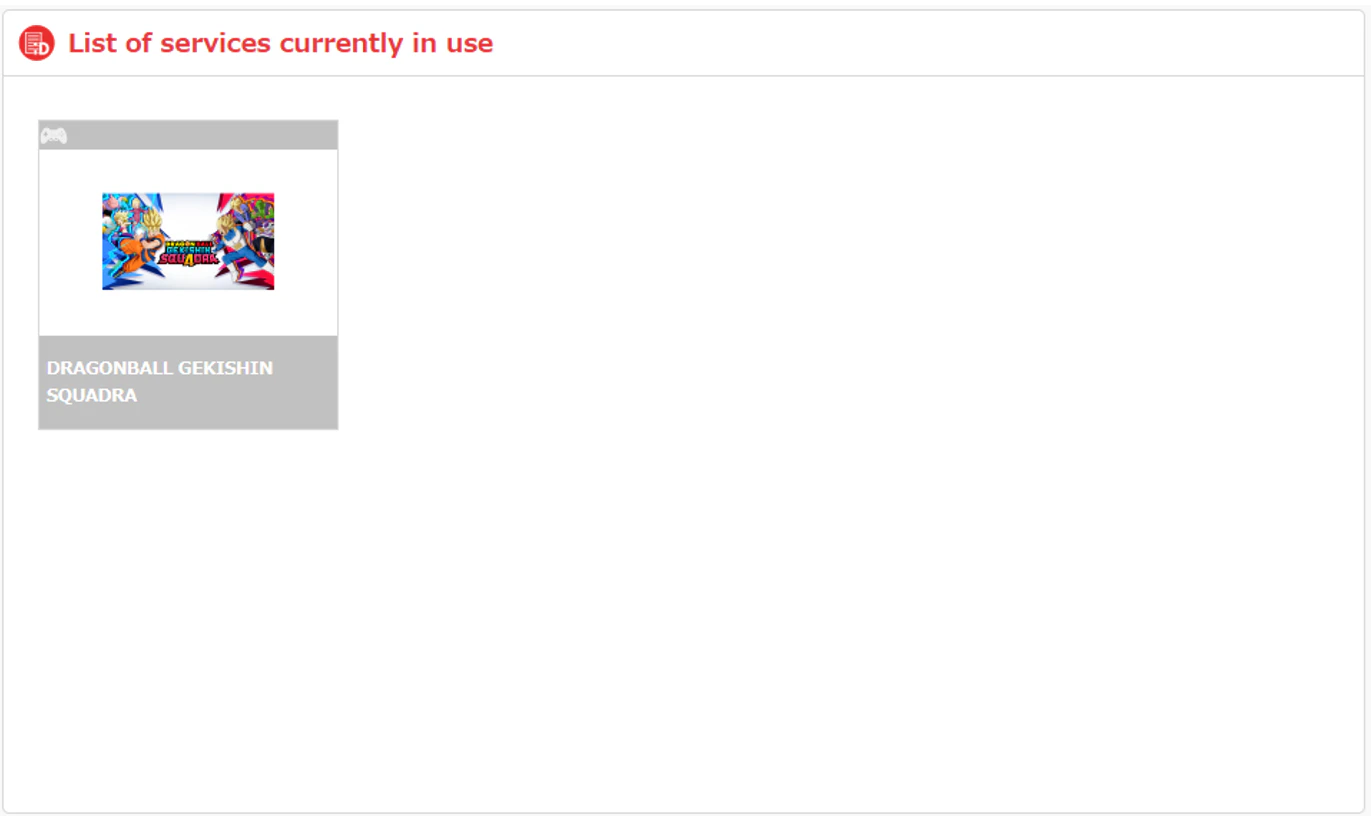
Also, please access the page here using the same account, and check that it is linked with Twitch.tv.
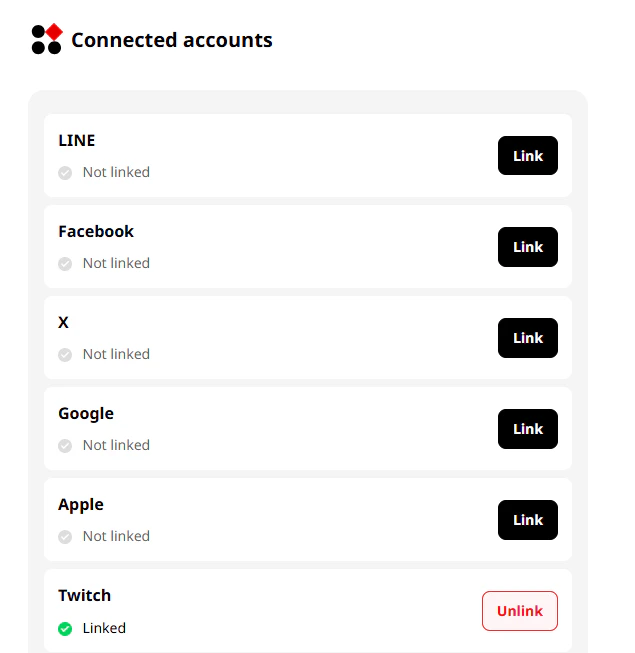
If the account links have not gone through, please refer to the directions above to set up a link.
② In-Game Reward Distribution Timing
It may take some time for rewards to be available in-game.
After claiming the rewards on Twitch.tv, please wait a while before confirming in-game.
■FAQ
Q: I am unable to claim my Twitch Drops.
A: If you are unable to claim Twitch Drops, please see below.
▼ Check that the same Bandai Namco ID is linked to both DRAGON BALL GEKISHIN SQUADRA and your Twitch account.
① Confirm that your Bandai Namco ID is linked on Twitch.tv.
Log in to Twitch.tv on your browser > Go to Profile on the top right > Drops and Rewards > All Campaigns > Confirm that DRAGON BALL GEKISHIN SQUADRA has been successfully linked.
*It is possible you will not be able to watch from the Twitch.tv mobile app.
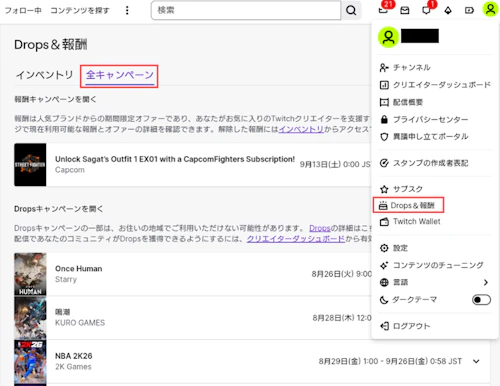
.png?w=500&h=610&fm=webp)
② Confirm that the same Bandai Namco ID is linked to both DRAGON BALL GEKISHIN SQUADRA and Twitch.tv.
Go to the Bandai Namco ID portal site, and log in with the account connected to Twitch.tv.
Please access the page here, and check that DRAGON BALL GEKISHIN SQUADRA is displayed.
Also, please access the page here using the same account, and check that it is linked with Twitch.tv.
If you have not successfully linked your accounts, please refer to How to Participate on this same page, and confirm your link settings.
▼ In-Game Reward Timing
The rewards can take time to be reflected in-game. After receiving your rewards on Twitch.tv, please wait a moment before launching DRAGON BALL GEKISHIN SQUADRA, then claim your rewards through the Notices section of the menu.
Q: I was able to claim some of my Twitch Drops, but not all of them.
A: If a different game account or Bandai Namco ID has been used to claim Twitch Drops, you will unable to transfer these rewards to any other account.
Also, if you unlink your account and relink it to another account, any rewards you have claimed up to that point will only be available on the originally linked account.
*If your Bandai Namco ID linked to your Twitch account did not have a game account linked to it when you claimed the Twitch Drops, you will not receive any in-game rewards.
*Even if you have not claimed your rewards in-game, if you click the Claim button on any Twitch Drops while your account is linked, those rewards will be tied to your currently linked account.
Ex.) Re-linking an account while claiming rewards.
● Situation in which only partial rewards can be claimed:
If you linked your Game Account A + Bandai Namco ID + Twitch Account, then earned the 30-minute, 60-minute, and 90-minute rewards, but you relinked your account to Game Account B after having clicked the Claim button, you will only be able to claim the rewards for watching 120 minutes or more on Game Account B.
*This also applies to if a Bandai Namco ID linked to a different game account is relinked to Twitch partway through.
● Situation in which all rewards can be claimed:
If you linked your Game Account A + Bandai Namco ID + Twitch Account, then earned the 30-minute, 60-minute, and 90-minute rewards, but you relinked your account to Game Account B before pressing the Claim button, then you will be able to claim all 30-minute, 60-minute, 90-minute rewards and any further rewards on Game Account B.
*If you relink your game account (or Bandai Namco ID) before pressing the Claim button, then you will be able to claim all rewards on the newly linked account.